Open your Google Voice Takeout and read your texts by contact, on screen.
Add the takeout-….zip from Google and read your texts here, one conversation per contact, in order, with the photos.
- Nothing uploaded
- Free to read · PDF US$14.99 once
- Computer or phone
Everything happens in your browser: load the page, turn off Wi‑Fi, and it still works. See a finished PDF. (opens in a new tab)
Step 1 · Add your file
Where is the file? How to find it
- 1Find the email from Google saying your data is readyIts Download button saves a file whose name starts with takeout- and ends in .zip, normally in Downloads. A large export comes as several numbered zips: download them all.
- 2Or open takeout.google.com (opens in a new tab) again › Manage your exportsEarlier exports are listed there with a Download button for as long as Google keeps them available.
- 3There is nothing to unzip. On a Mac, Safari may already have unpacked it into a folder: right-click that folder, choose Compress, and add the new .zip.
- 4Tap a contact and readEach contact is one conversation, texts in order with the duplicates removed. Every message is free to read, with the pictures sent as MMS. Calls and voicemails are counted and go into the paid export’s spreadsheet, transcripts included.
- Done: 1 · Added
- 2 · Choose
- 3 · Download
Working… please keep this tab open and in front until it finishes.
Checkout opens in a new tab. After paying, come back to this tab and paste the key from your email.
Already paid? Enter your license key
Finish your purchase
-
PaymentIn the other tab
When the checkout page says Successful, your payment is done. You can close that tab. This page can’t see your payment: the license key in your email is the proof.
-
UnlockWaiting for your key
Dodo Payments emails your license key within a few minutes, from noreply@dodopayments.com, subject “Your MessageBinder – Full Export license key from MessageBinder”. Check Spam or Promotions.
✓ Unlocked on this device
-
Your file
No email after 10 minutes? Check Spam for “Dodo Payments”, or email help@voicebinder.com from the address you paid with.
Sample = the first 20 messages of each selected conversation (PDF and spreadsheet) and the first 5 calls, watermarked. Unlock = everything, one payment, all three tools.
Secure checkout by Dodo Payments. Sales tax, VAT or GST is added where it applies. Your license key arrives by email within a few minutes of paying (check spam). Works or your money back (30 days).
What you get
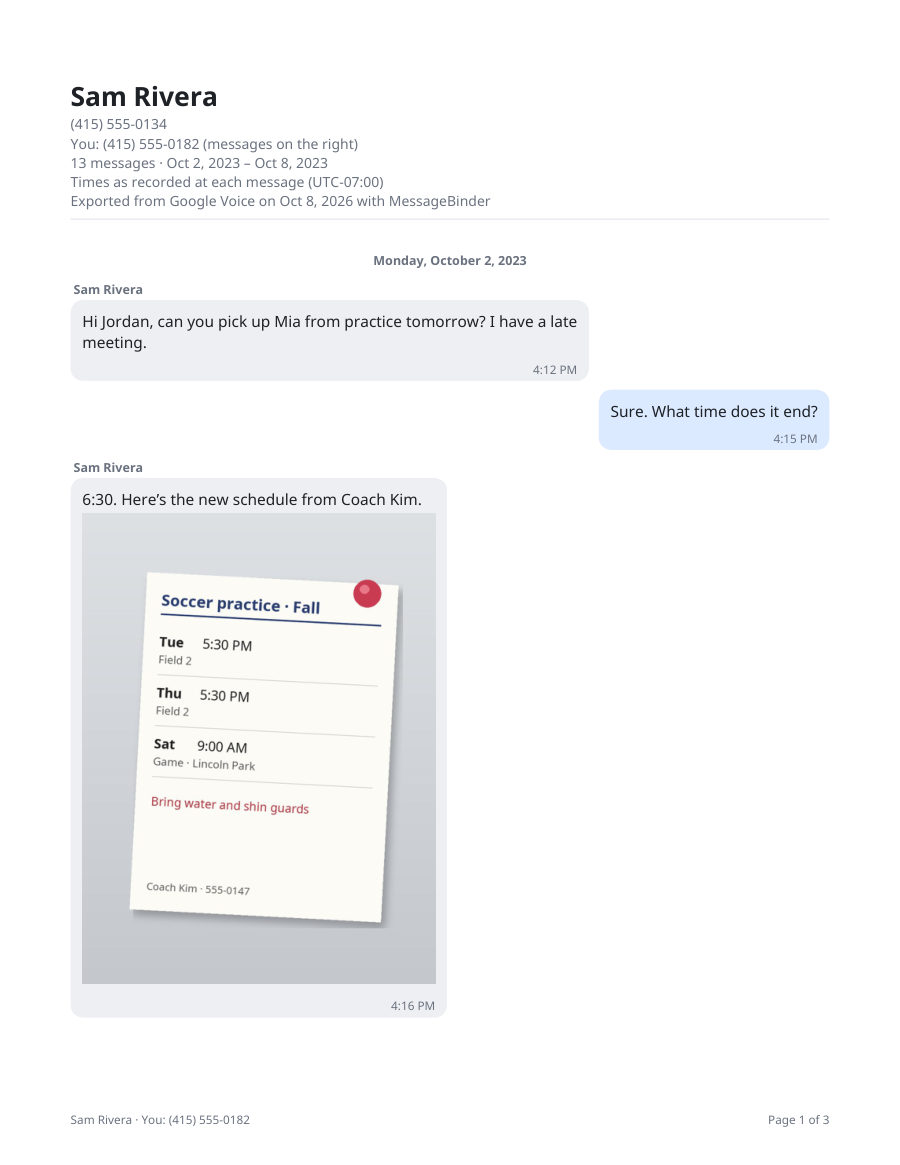 Page 1 of a finished PDF (made-up messages). Your free sample looks the same, with a SAMPLE watermark.
A page of a finished PDF, made by this page from a made-up Google Voice export.
- Every message in order, with the date above each day and the time on every message
- Photos where they were sent
- A header naming the contact, your number and the time zone; page numbers on every page
- Spreadsheets: every message and every call, sortable.
- Your original files: photos, audio, documents.
Open a finished example PDF (opens in a new tab)
Use it to keep the texts, calls and voicemails of a Google Voice number you are leaving or losing, or to put one contact’s history into a dated document.
Pricing
- Read every conversation in full, on screen
- Photos, dates and times in place
- A sample PDF: the first 20 messages, watermarked
- No account, no email
- Every conversation as a dated, page-numbered PDF
- A spreadsheet of every message, plus the original files
- 5 devices · works or your money back (30 days)
- Sales tax, VAT or GST is added at checkout where it applies
Charged in US dollars. Payment and receipt by Dodo Payments, the payment company that also emails your license key.
Before you pay
- Made by Jin Kim, an independent developer. Questions and refunds: help@voicebinder.com.
- Your messages never leave your browser: load the page, turn off Wi‑Fi, and it still works.
- What is sent: your license key, to Dodo Payments’ license check, when you enter it; and an anonymous count of which step was reached, with nothing about your messages or your key.
- Checkout and receipt happen on Dodo Payments’ own secure page, in a new tab; your card details never reach this site.
- Works or your money back: if the full export doesn’t work for your files, email within 30 days of buying for a full refund (see Terms).
What exactly is sent and stored
- Made by Jin Kim, an independent developer. Questions and refunds: help@voicebinder.com.
- Your messages are read and turned into PDFs inside your browser. The message content, names, numbers and files are never sent anywhere: load the page, turn off Wi‑Fi, and it still works.
- What does leave your browser: when you enter a license key, the key and a short device label (for example “MessageBinder web (MacIntel)”) go only to Dodo Payments’ license service, which checks the key; later checks also send the activation number Dodo gave this browser. The page also tells this site which step was reached (opened, file added, preview, sample, unlock, back to this tab after opening the checkout, key accepted, export, and when a key is not accepted, only the kind of problem: empty, partial, not recognized, device limit, no longer active or no connection) as a plain count, with no identifier and nothing about your messages or your key (see Privacy). Nothing else is sent.
- Checkout opens on Dodo Payments’ own secure page, in a new tab. Dodo handles the payment and the receipt and emails you the license key. Your card details never reach this site, and your key and email address are never part of this site’s web addresses. The Paste button next to the key box reads your clipboard only when you tap it, only to put the key in the box, and sends nothing.
- This browser keeps your license key, its activation number and the time of the last check in its own storage so you don’t retype it, and for 30 days a note if a key was found no longer active. When you open the checkout, this tab also notes the time, so the steps to finish your purchase are ready if you come back within an hour; that note stays only in this tab and is removed once your key is accepted. Nothing else is stored.
- Works or your money back: if the full export doesn’t work for your files, email within 30 days of buying for a full refund (see Terms).
Find the Takeout zip and read it
1 min · computer or phone- 1Find the email from Google saying your data is readyIts Download button saves a file whose name starts with takeout- and ends in .zip, normally in Downloads. A large export comes as several numbered zips: download them all.
- 2Or open takeout.google.com (opens in a new tab) again › Manage your exportsEarlier exports are listed there with a Download button for as long as Google keeps them available.
- 3There is nothing to unzip. On a Mac, Safari may already have unpacked it into a folder: right-click that folder, choose Compress, and add the new .zip.
- 4Tap a contact and readEach contact is one conversation, texts in order with the duplicates removed. Every message is free to read, with the pictures sent as MMS. Calls and voicemails are counted and go into the paid export’s spreadsheet, transcripts included.
Questions
What is MessageBinder?
MessageBinder is a web page that turns a Google Voice Takeout zip into dated PDFs with the photos in place, plus spreadsheets and the original attachments, entirely in your browser: nothing is uploaded. Reading every message on screen is free; the PDF export is US$14.99 once, with no subscription.
Why can’t I just open the Takeout files?
You can, one at a time: Takeout saves each day of each conversation as its own .html page, in Takeout › Voice › Calls, with the photos as separate files, so a year of texting with one person is hundreds of pages. This page reads the whole zip and joins them into one conversation per contact.
Is my Takeout uploaded?
No. Your messages are read and turned into PDFs inside your browser; they are never uploaded. Once the page has loaded, you can turn off Wi‑Fi and it still works. The page only fetches its own files (the page, its code and fonts) and, if you bought a license, asks our payment company whether your key is valid: when you enter it and each time you open the page again. It also sends the anonymous step counts described under “Before you pay”.
Why not just print the Takeout pages or take screenshots?
Takeout gives one small web page per contact per day, so a year with one person is hundreds of pages, with no photos inline and no calls. Screenshots have no dates you can search and take hours. MessageBinder joins each contact into one dated PDF (long chats come in parts) with the photos in place and a spreadsheet you can sort, in your browser. Try the free sample before paying; if it isn’t right for you, you have spent nothing.
Is reading really free? What costs money?
Reading is free: open the zip, list your contacts and read every message with each, photos included, with no account and no email. Money changes hands only if you want it as files: one payment of US$14.99 gives a dated, page-numbered PDF per contact, spreadsheets of every message and of the calls and voicemails with their transcripts, and the voicemail recordings, on 5 devices.
Where are my voicemails and calls?
In the zip too, and the page counts them. The full export lists each call and voicemail in a spreadsheet (calls.csv) with the date, time, number, length and the transcript, and the recordings come along in their own folder. The on-screen preview shows the text conversations.
Can I read texts from a number I no longer have?
Yes, if they were in the account when the export was made. The viewer reads the file, not your account, so a Takeout made while the number was still yours keeps working after the number is gone.
Can I open the Takeout on my phone?
Yes. Download the zip on the phone, or save it to Drive or Files, open this page in the phone’s browser and pick the zip. Reading works the same; a large full export downloads in a few parts on a phone.
Google split my export into several zips
Add them all at once: the page reads every part and merges the conversations. The order you add them in does not matter.
Can I look at one contact only?
The whole zip is read, but the list can be filtered by name or number, you open only the contact you want, and when exporting you can tick just that one.
Which photos show up?
Pictures sent or received as MMS, which Takeout saves next to the page they belong to. Google sometimes lists an attachment it no longer has; the page tells you how many are missing from the zip.
How do I get the Takeout file?
At takeout.google.com: Deselect all, tick Voice, Next step, Create export, then wait for Google’s email. The Google Voice to PDF page shows each click, and the guide to the Takeout files explains what is inside.
What does the viewer cost?
Nothing to read: open the zip, list your contacts and read every message with each, photos included; no account, no email. The PDFs, the spreadsheets and the recordings are one payment of US$14.99, no subscription, which also covers WhatsApp and phone texts, on 5 devices. If the full export does not work for your files, email us within 30 days for a full refund.