What is inside a Google Voice Takeout export, and how to read it
A Google Voice export from Google Takeout has everything Google still holds, but it is not readable: hundreds of small web pages, named after the contact and the date, with photos and voicemail recordings beside them. This page explains what Google says is included, how the files are organized in the zip, and how to read them as dated PDFs and spreadsheets. Checked against Google’s help page on 1 November 2026.
What Google says is in the export
Google’s Export your Voice data page lists what the export includes: call logs, text messages, voicemails and voicemail transcripts, voicemail greetings, billing history, your Google Voice number and your service address. It adds that you can download data that hasn’t been deleted, and that with a work or school account some data might not be available for download.
How the files actually arrive
- The zip opens to a Takeout › Voice folder. Inside, a Calls folder holds almost everything: one small web page (.html) per conversation per day, named after the contact (or the phone number) and the kind of item, for example “Maya Torres - Text - 2024-05-10T15_02_00Z.html”.
- The kinds in the file names are Text, Voicemail, Received, Placed, Missed and Recorded: texts, voicemails, incoming calls, outgoing calls, missed calls and recorded calls.
- Photos and other attachments sent in texts are separate files next to the page they belong to, with the page’s name plus a numeric suffix.
- A voicemail is an .mp3 recording plus a page with the transcript; a recorded call is an .mp3 plus a page too.
- A busy number can produce thousands of pages, and Google may split the export into several zips. Keep them all.
Why it is hard to read as it is
Each page holds one day with one person. A year of texting with someone is hundreds of pages, each with its own file name, and the photos are not shown inside them. Calls and voicemails are scattered among the texts. Finding one conversation means opening files one by one.
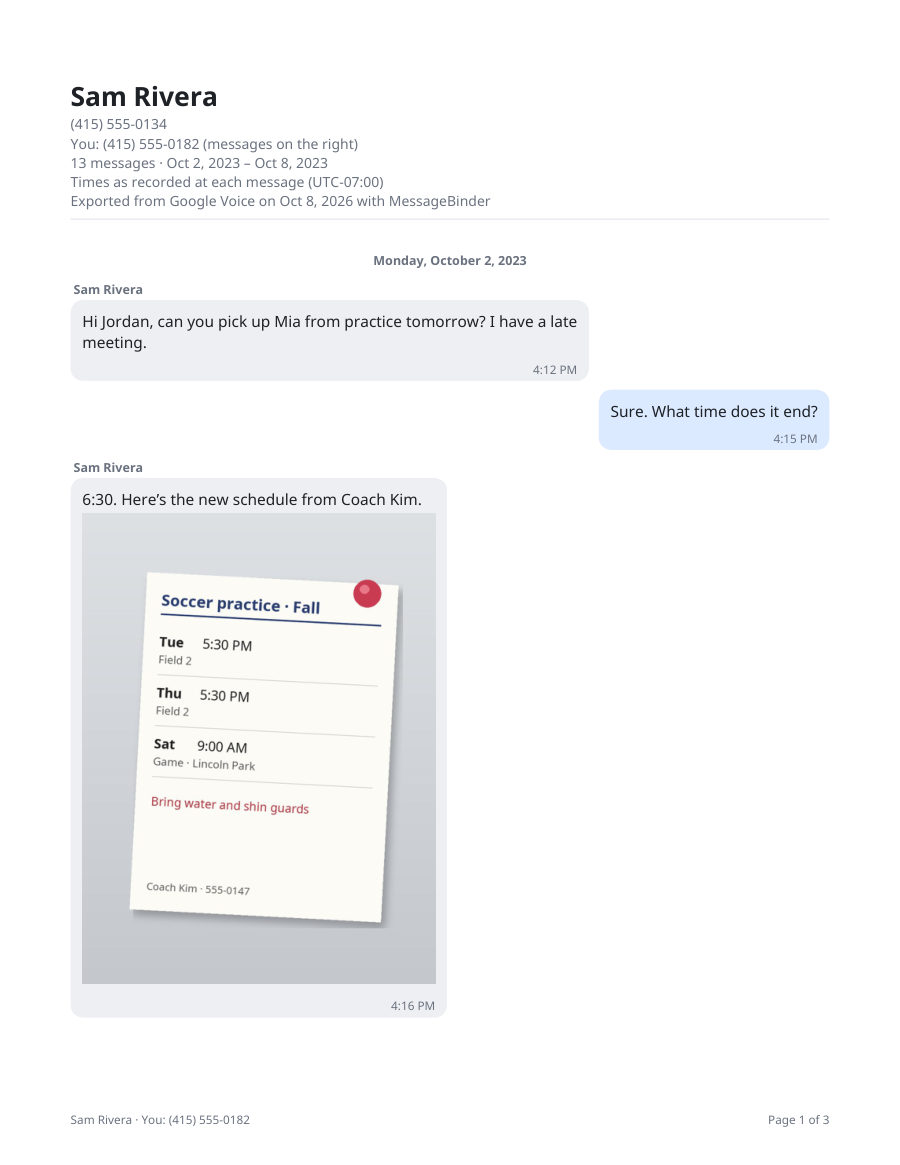
Read it as PDFs and spreadsheets (optional)
MessageBinder reads the Takeout zip in your browser (several zips at once if Google split it) and joins the pages: one dated PDF per contact or group with every text in order and the photos in place (long histories come in parts), a spreadsheet of every message, a spreadsheet of calls and voicemails with the transcripts, and the voicemail recordings in a folder. Nothing is uploaded: the page keeps working with Wi‑Fi off. The preview and a sample PDF are free; the full export is US$14.99 once. To read the texts on screen first, the Google Voice Takeout viewer opens the same zip.
MessageBinder is a formatting tool: it does not change your Google account or the export, and it only formats the files you already downloaded.
Before you export
- Export while the number is still in your account: Google’s page says you can download data that hasn’t been deleted, and a reclaimed number does not delete the messages behind it (see the guide on expiring numbers).
- At takeout.google.com, click “Deselect all”, tick only Voice, and choose .zip; the 50 GB setting means fewer files, not a bigger export.
- Wait for Google’s email and download every part: Google’s download page says archives larger than the size limit you selected are split into multiple files.
The first button opens the Google Voice converter; add the Takeout zip there and the preview appears on that page. Nothing is uploaded.
Questions
Where are my text messages in the export?
In Takeout › Voice › Calls, as pages whose names contain “- Text -”. One page per contact per day.
Where are the voicemails and their transcripts?
In the same Calls folder: a page whose name contains “- Voicemail -” holds the transcript, and the recording is the .mp3 next to it.
Are deleted messages included?
No. Google’s page says you can download data that hasn’t been deleted.
My work or school account exported less. Why?
Google’s page says that with a work or school account some data might not be available for download; ask the account’s administrator.
Do I have to unzip anything?
Not for MessageBinder: add the zip (or zips) as they are. On a Mac, if Safari already unzipped it, right-click the folder › Compress and add the new .zip. If you want to look yourself, open the .html pages in a browser.
Sources
- Google Voice Help: Export your Voice data
- Google Takeout
- Google Voice Help: Reclaim your Voice number (messages stay in the account after a reclaim)
- Google Account Help: How to download your Google data (archive size, split files)
Google’s help pages checked on 1 November 2026. The file layout is what Google’s exports have looked like in the files we have tested; Google can change it. Google Voice and Google Takeout are trademarks of Google LLC; MessageBinder is independent of Google.