How to export your Google Voice text messages
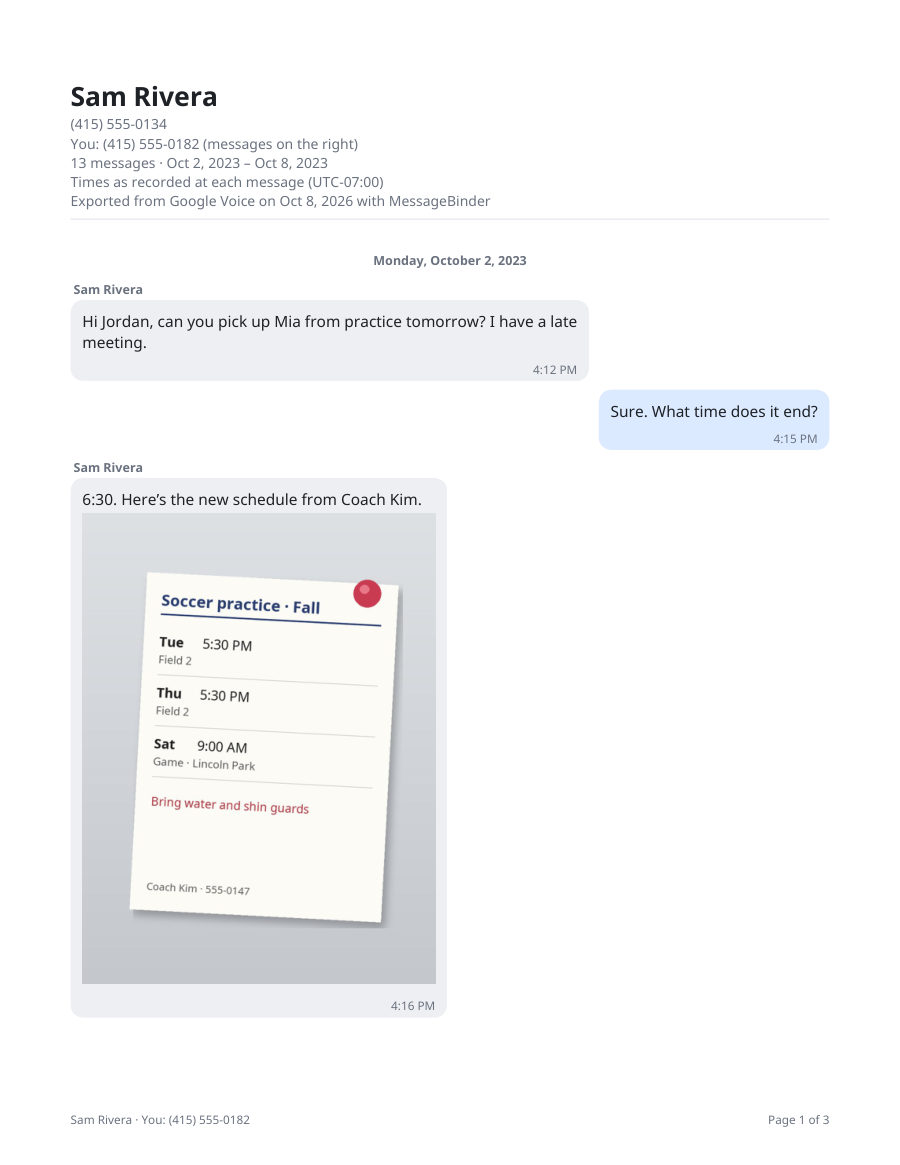
Google Voice keeps your texts until you delete them, and Google Takeout exports everything it still holds in about two minutes of clicking. What comes out is a zip of small web pages, one per contact per day, which is hard to read. This page shows the export, then how to read every conversation free and save one dated PDF per contact.
Does Google Voice save text messages?
Yes. Texts you sent or received with your Google Voice number stay in your account until you delete them, and the export includes what is still there; deleted texts are gone and no export brings them back. Google’s Export your data from Voice page lists what comes out: call logs, text messages, voicemails and voicemail transcripts, voicemail greetings, billing history, your Google Voice number and your service address.
Step 1: request the export (about 2 minutes)
- Open takeout.google.com signed in to the Google account that owns the Voice number.
- Click “Deselect all”, scroll to “Voice” and tick it, then “Next step”.
- Leave the delivery method as an email link, choose a zip, and click “Create export”.
- Google prepares the file and emails you a Download link: Google says from a few minutes to a few days, and most people get it the same day. The link lasts about 7 days and allows 5 downloads, so download the zip soon and keep it. Keep this page’s address too, so you can come back when the email arrives.
Step 2: read every text, free
When the email arrives, download the zip (its name starts with “takeout-”) and do not unzip it. Open the Google Voice Takeout viewer, add the zip and pick a contact: every message is shown in order, with photos, on your own computer or phone. Nothing is uploaded; the viewer runs in your browser.
Step 3: save one dated PDF per contact
Tick the conversations you want and click “Save as PDF”: one PDF per contact, each page dated and timed, photos in place, plus spreadsheets of your calls and voicemails. One payment of US$14.99, no subscription, covers every conversation you add, on up to 5 devices, for every kind of export MessageBinder reads; the key arrives by email. The Google Voice to PDF page shows each click.
What the export looks like without a tool
Takeout gives one small web page per contact per day. A year of texts with one person is hundreds of files, with no photos inline and no calls beside them. That is why “print from Takeout” rarely works; a reader that joins the pages back into conversations is the missing piece.
Exporting your data does not keep the number active. If Google warned you that the number is expiring, make a call or send a text from it as well; see the page about expiring numbers.
MessageBinder is a formatting tool: it reads the export you already made and lays it out as dated PDFs, one per contact. It does not change, add or remove messages, and Takeout works without it.
The first button opens the free viewer; add the Takeout zip there. The second opens the converter, where the same zip becomes one PDF per contact. Nothing is uploaded on either page.
Questions
Can I export only one contact?
Takeout exports everything still in your Voice account; in MessageBinder you tick the conversations you want to save, and each becomes its own PDF.
Does the export include deleted messages?
No. Only what Google Voice still holds is in the Takeout file, and nothing on this site recovers deleted texts.
Do photos come through?
Yes. Pictures that are in the Takeout zip appear in the right place in the reader and in the PDF; a picture that was never exported cannot appear.
My export came as several zips.
Add every part; MessageBinder joins them.
Is anything uploaded?
Your file never leaves your browser. Two small things do: anonymous step counts (which page and which step, nothing about you or your file) and, when you enter a license key, the key and a device label sent to the payment provider’s license service to confirm the purchase. The privacy page lists both.
I only want to move my texts to a new phone.
This export is for keeping and reading them. Moving texts into another messaging app is a different job, and Google Voice does not offer it.
Sources
- Google Voice Help: Reclaim your Voice number
- Google Voice Acceptable Use Policy (account inactivity)
- Google Voice Help: Export your Voice data
- Google Voice Help: Identify Google Voice subscription types
- Google Voice Help: Port your Google Voice number
- Google Workspace: Google Voice plans and prices
- Google Account Help: How to download your Google data (timing, 7-day link, 5 downloads)
Facts checked against the linked Google pages on 7 November 2026. Google can change its policies and prices; the linked pages are the authority, not this one.